Troubleshooting
Is the website down?
some easy troubleshooting tools you can use to diagnose a faulty web server or browser, called HTTP status codes
When we want to go to google.com, our browser is sending an HTTP request to the HTTP server on the web server. In turn we get an HTTP response. Sometimes this response returns the content that we want. Almost all the time, it will return a status message of the response.
HTTP status codes are codes or numbers that indicate some sort of error or info messages that occurred when trying to access a web resource.
404 not found. A 404 error indicates that the URL you entered doesn’t point to anything.
Browsers today have built in tools that help people diagnosed issues with the web browser or website itself. Since I’m using chrome, I’m going to use the chrome developer tools.
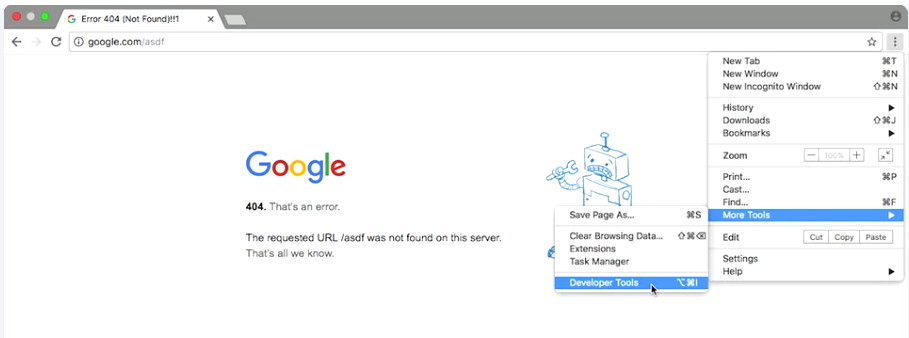 HTTP status codes that start with 4xx indicated an issue on the client side. The client tried to do something that I couldn’t, like enter a bad URL.
The other common HTTP status codes you might see start with 5xx. These errors indicate an issue on the service side, the web server that hosts this web content is experiencing issues and hopefully there’s some administrators are looking into it.
HTTP status codes tell us more than just errors. They can also tell us when our request is successful, which is denoted by the codes that begin with 2xx.
For more information on Chrome Developer Tools click here and for a list of HTTP status codes click here.