Linux - Input, Output and Pipeline
I/O Streams: An input stream handles data flowing into and out of a program - stdin - stdout - stderr
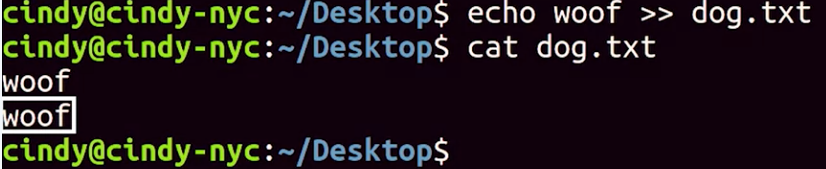
We echo the text woof here, but instead of sending it to our screen by default, we’re going to redirect the output to a file using the standard out redirector operator. Let’s verify, and there it is. This overrides any file named dog.txt with the content woof.

If we don’t want to overwrite an existing file, we can use the append operator or >>. Echo woof dog.txt.
standard in redirector operator denoted by <
Instead of getting input from the keyboard, we can get input from files. This command is exactly the same as cat file_input. The difference here is that we aren’t using our keyboard input anymore. We’re using the file as standard in.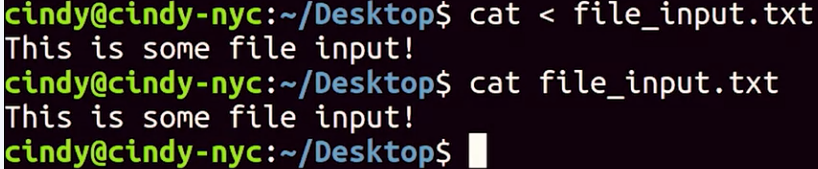
Standard error displays error messages which you can get by using the 2> redirector operator. Just like Windows, the 2 is used to denote standard error. To redirect just the error messages of some output, you can use something like this, ls /dir/fake_dir 2> error_output.tx

Remember the dollar sign null variable that we used in Windows to toss unwanted output into a metaphorical black hole? We have something like that in Linux too, there’s a special file on Linux called the /dev/null file.
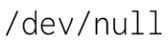 Let’s say we want to filter out the error messages in a file and just want to see standard out messages. We could do something like this.
 Now our output is filtered from error messages
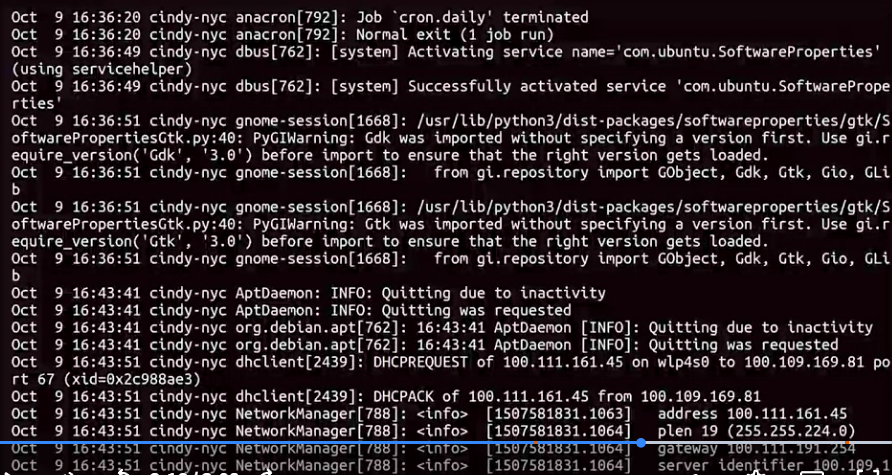
Remember how we talked about taking the output of one command and using it as the input of another command with the Windows pipeline? Well the same thing exists in Linux. The pipe command ( | ) allows us to do this. Let’s say we want to see which sub-directories in the /etc directory contain the word Bluetooth.
 Now without even looking through the directory, we’re able to quickly see if the Bluetooth directory is in here. There it is.