Windows - Reading Process Information
 On the Windows operating system, the task manager or taskmgr.exe is one method of obtaining process information.
Task Manager: A Windows utility that allows you to gain information about what tasks you have running in the background
You can open it with the Ctrl+Shift+Esc key combination or by locating it using the start menu.
On the Windows operating system, the task manager or taskmgr.exe is one method of obtaining process information.
Task Manager: A Windows utility that allows you to gain information about what tasks you have running in the background
You can open it with the Ctrl+Shift+Esc key combination or by locating it using the start menu.
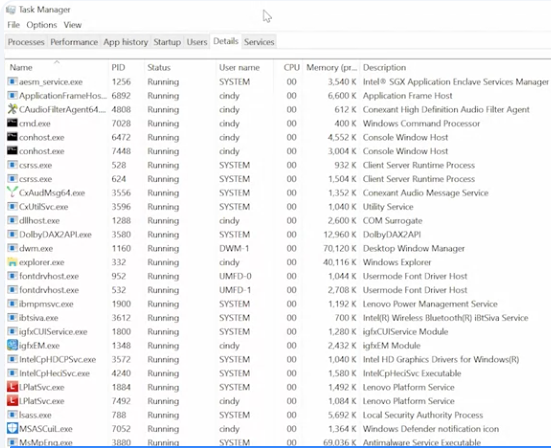
In the Details tab, you can retrieve the PID
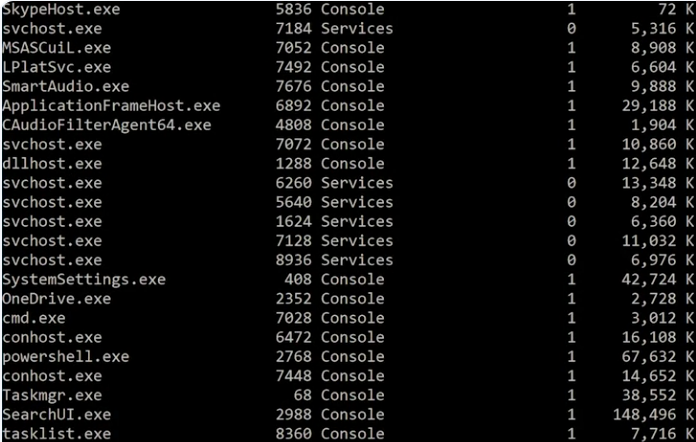
From the command prompt, you can use utility called tasklist to show all the running processes.

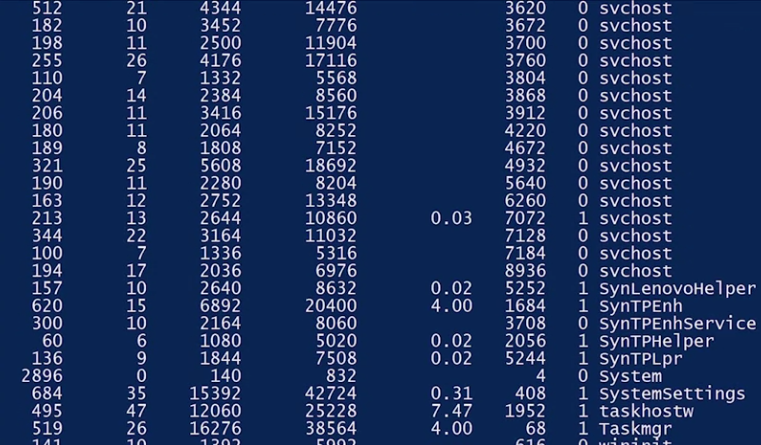
 From a PowerShell prompt, you can use a commandlet called get-process to do the same.

 For more information about get-process, or using PowerShell to get the processes that are running on a computer, check out the link here.