Windows Powershell
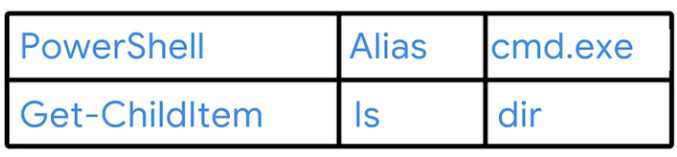
There’s another PowerShell command that we can use to look at one of our aliases that we’ve been using ls or list directory. To see what the actual PowerShell command is that gets executed, we can use the PowerShell command, Get-Alias. Interesting, when we call ls, we’re actually calling the PowerShell command, Get-ChildItem
 It gets or lists the children which are the files and subdirectories of the given item.
Let’s actually run this Get-ChildItem command with the item C backslash. You’ll see this is the same output as ls C backslash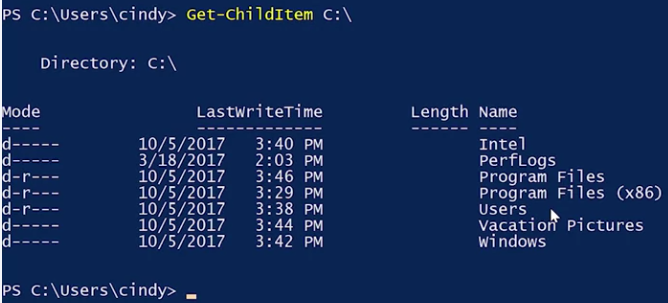
Aliases for common commands are a great way to work more quickly in PowerShell. We’ve been using them up to this point to help us hit the ground running with the command line.
Aliases for common commands are a great way to work more quickly in PowerShell. We’ve been using them up to this point to help us hit the ground running with the command line.