Windows - Archives
Archive: An archive is comprised of one or more files that are compressed into a single file“ for verb agreement
Packaged archives: The core or source software files that are compressed into one file
Popular archive types you’ll see are .TAR, .Zip and .RAR
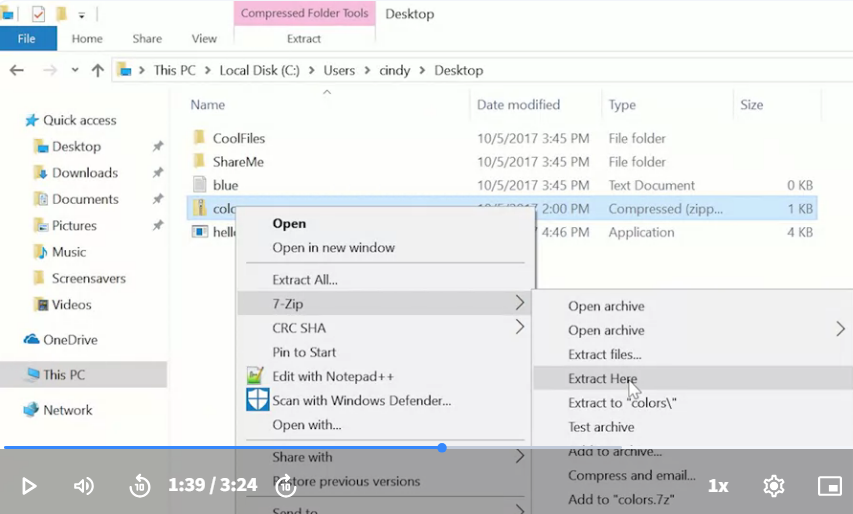
There’s a very popular tool in Windows for file archiving and un archiving different file types, like dot RAR, dot Zip and TAR. This is the open source tool, 7-Zip.
Now, if you wanted to send someone a bunch of files in an email, you don’t have to send them one by one. Instead you can combine them all in one archive and send one single file.
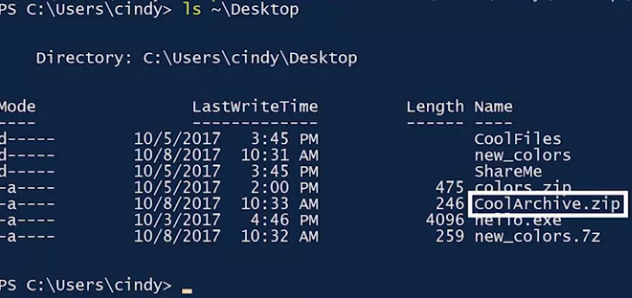
Let’s say you’ve got a bunch of files in a folder called Cool files on your desktop that you’d like to add to a new Zip file. After you’ve opened up the PowerShell command line interface, you could issue this command, Compress-Archive dot Path Cool files, and then we’re just going to make a new archive in the desktop called CoolArchive.zip.  Now if we check our desktop, You should see CoolArchive.zip. This will take everything from the desktop cool files directory and compress it into this CoolArchives.zip
If you’re interested in downloading 7-Zip, check out the link here.
For more information about creating an archive or zipped file using Windows PowerShell, check out the link here.