Linux - Managing Processes
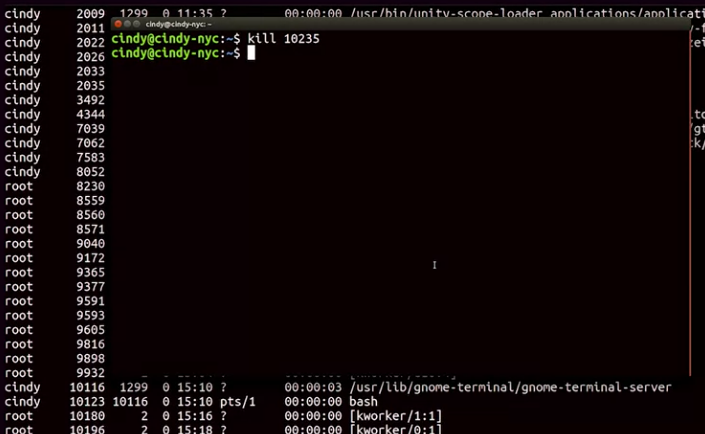
So to terminate a process, we’ll use the kill command along with the PID of the process we want to terminate. Let’s just go ahead and kill this Firefox process. And if we check the process window, we can see that the process is no longer running.
 The other signal that you might see pop up every now and then is the SIGKILL signal. This will kill your process with a lot of metaphorical fire
Using a SIG term is like telling your process,“ hey, there process, I don’t really need you to complete right now, so could you just stop what you’re doing?“ And using SIGKILL is basically telling your process, “okay, it’s time to die.”
The other signal that you might see pop up every now and then is the SIGKILL signal. This will kill your process with a lot of metaphorical fire
Using a SIG term is like telling your process,“ hey, there process, I don’t really need you to complete right now, so could you just stop what you’re doing?“ And using SIGKILL is basically telling your process, “okay, it’s time to die.”
To send a SIGKILL signal, you can add a flag to the kill command, -KILL for SIGKILL. So let’s open up Firefox one more time. So kill -KILL 10392.
 These are the two most common ways to terminate a process, but it’s important to call out that using kill -KILL is a last resort to terminating a process. Since it doesn’t do any cleanup, you could end up doing more harm to your files than good
Let’s say you had a process running that you didn’t want to terminate, but maybe you just want to put it on pause. You can do this by sending the SIGSTP signal for terminal stop. Which will put your process in a suspended state.
To send this, you can use the kill command with the flag -TSTP. I’m going to run ps -x so you can see the status of the processes.
 We’re just going to put this process in a suspended state, so kill -TSTP 10754.
 Now you can see the process 10754 is now in a suspended state
You can also send the SIGTSTP signal using the keyboard combination control -Z. To resume the execution of the process, you can use the SIGCONT for continued signal.

SIGTERM SIGKILL and SIGTSTP are some of the most common signals you’ll see when you’re working with processes in Linux.