Disk Partitioning and File System Essentials
A storage disk can be divided into something called partitions A partition is just a piece of the disk that you can manage.
- gives you the illusion that you’re physically dividing a disk into separate disks.
Let’s say you want to have two partitions on a disk. One for a Windows OS and one for Linux OS.
Instead of using two machines to use both operating systems…..
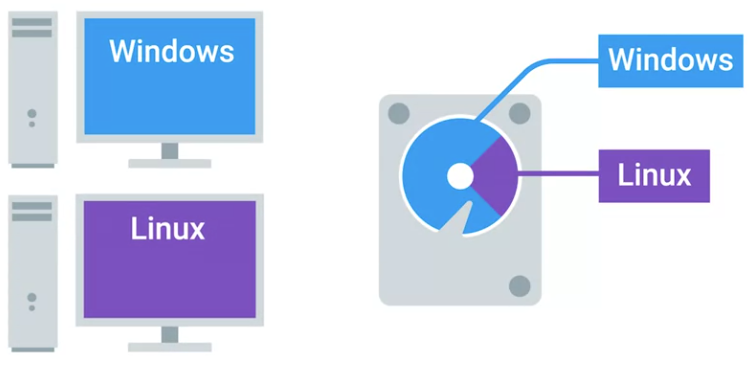 you can just use one machine and switch between the two OSs on boot up.
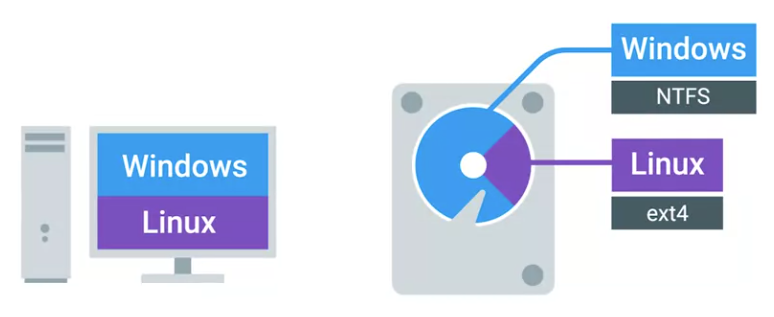 You can also add different file systems on different partitions of the same disk. Partitions essentially act as their own separate sub disks but they all use the same physical disk.
One thing to call out is that when you format a file system on a partition, it becomes a volume. Volume and partition are sometimes mistakenly used synonymously. But we want to make sure that you understand this distinction.
- Volume: A format for a filesystem on a partition
The other component of a disk is a partition table.
- Partition table: How the disk is partitioned on an OS
There are two main partition table schemes that are used.
- MBR or master boot record
- GPT or GUID partition table. These schemes decide how to structure the information on partitions
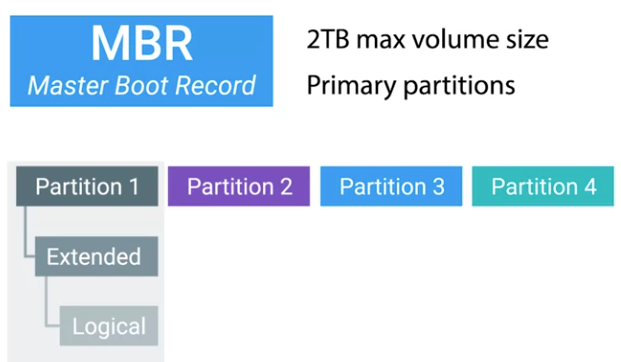
MBR is a traditional partition table and it’s mostly used in the Windows OS.
- MBR only lets you have volumes sizes of two terabytes or less.
- It also uses something called primary partitions. You can only have four primary partitions on a disk. If you want to add more, you have to take a primary partition and make it into something known as an extended partition.
- Inside the extended partition, you can then make something called a logical partition. It’s a little odd to get it first but that’s just how the partition table was created.
- MBR is an old standard.
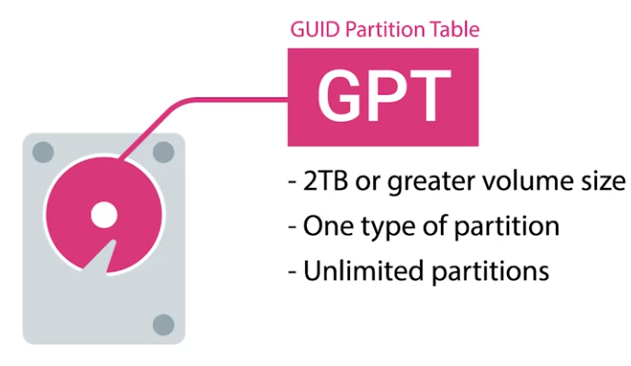
GPT is becoming the new standard for disks.
- You can have a volume size greater than two terabytes and it only has one type of partition.
- You can make as many of them as you want in a disk.
- In an earlier lesson, we learned about a new bios standard called UEFI. That’s become the default bios for new systems. To use UEFI booting, your disk has to use the GUID partition table.