Linux - Archives
7-Zip is also available to use Linux. We’ve already installed the package P7-Zip-for, which is what the Linux version of 7-Zip is
To extract the file using 7-Zip, use the command 7z and the flag e for extract, and then the file you want to extract.
For example, let’s extract this tar file in my home directory.
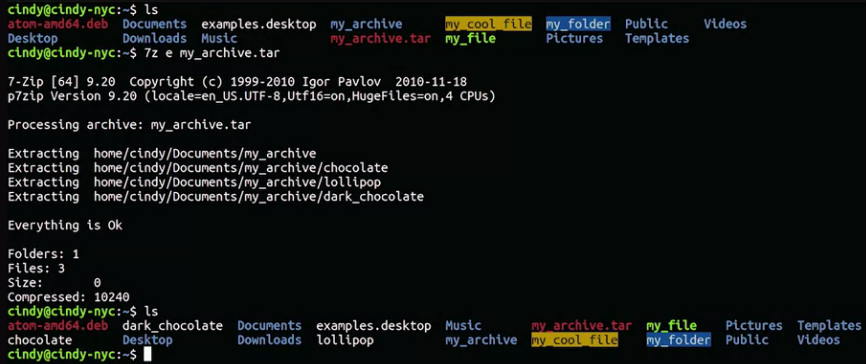 Just like that, we’ve now have the extracted contents.
For more information about the Linux tar command, please check out the following link here