Linux - List Directories
Root directory: A parent directory for all other directories in a file system


- /bin - stores essential binaries or programs
- /etc - stores some pretty important system configuration files
- /home - personal directory; holds user docs, pics and etc.
- /proc - contains info about currently running processes
- /usr - user installed software
- /var - stores system logs and any file that constantly changes

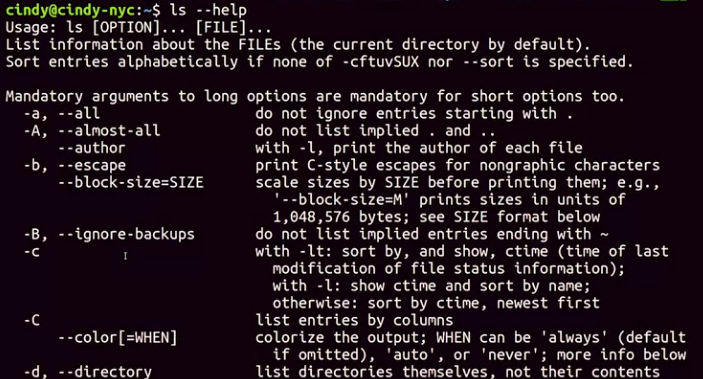
Another method that you can use to get information about commands is the man command for manual.
- It’s used to show us manual pages. In Linux, we call them man pages.
- To use this command, just run man then the command you want to look up.
- look up “man ls” and here we get the same information as –help, but with a little more detail
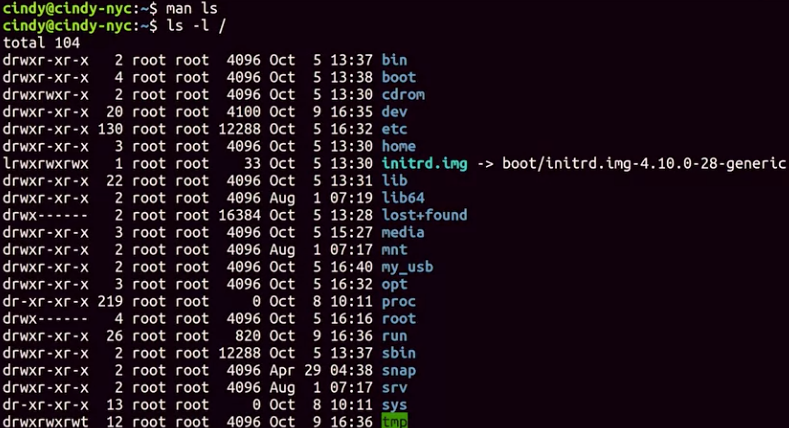 let’s make our directory list more readable with the -l flag for long. This shows detailed information about files and folders in the format of a long list. Now, we can see additional information about our directory and the files and folders in them.
