Physical Storage - Hard Drives
Bit - smallest unit of storage; stores a single binary digit, 1 or 0 Byte - larger unit of storage; comprised of 8 bits
- a single Byte can hold a letter, number or symbol
| 8 bits | 1 byte |
|---|---|
| 1,024 bytes | 1 kilobyte |
| 1,024 kilobytes | 1 megabyte |
| 1,024 megabytes | 1 gigabyte |
| 1,024 gigabyte | 1 terabyte |
| Hard Disk Drives (HDD) - use a mechanical arm and spinning platter to read and write information |
- the speed the platter rotates at is calculated in RPM
- faster HDDs have higher RPM
- more affordable
- more prone to damage
Solid State Drive (SSD)
- no moving parts
- information stored on microchips
- slimmer form factor
- less prone to damage or losing data
- more expensive
SATA (Serial ATA) - interface which uses one cable for data transfers
- Hot Swappable - you don’t have to turn off machine to plug in SATA drive
NVM Express (NVMe) - newer interface standard; instead of using cable to connect drive to machine, drive was added as an expansion slot which increased data throughput and efficiency
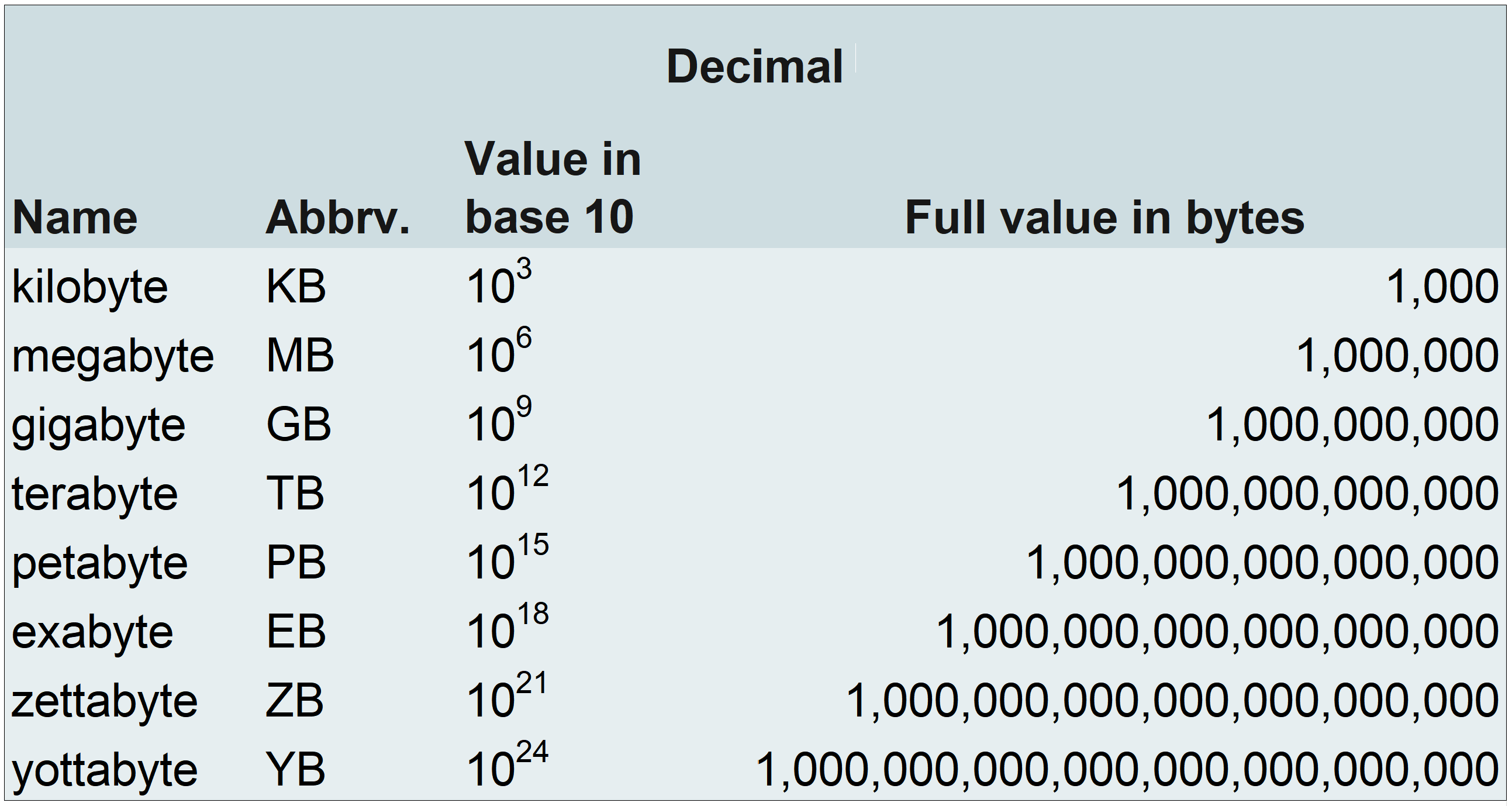
Decimal nomenclature: kilobyte, megabyte, gigabyte, terabyte, petabyte, exabyte, zettabyte, yottabyte
Binary nomenclature: kibibyte, mebibyte, gibibyte, tebibyte, pebibyte, exbibyte, zebibyte, yobibyte
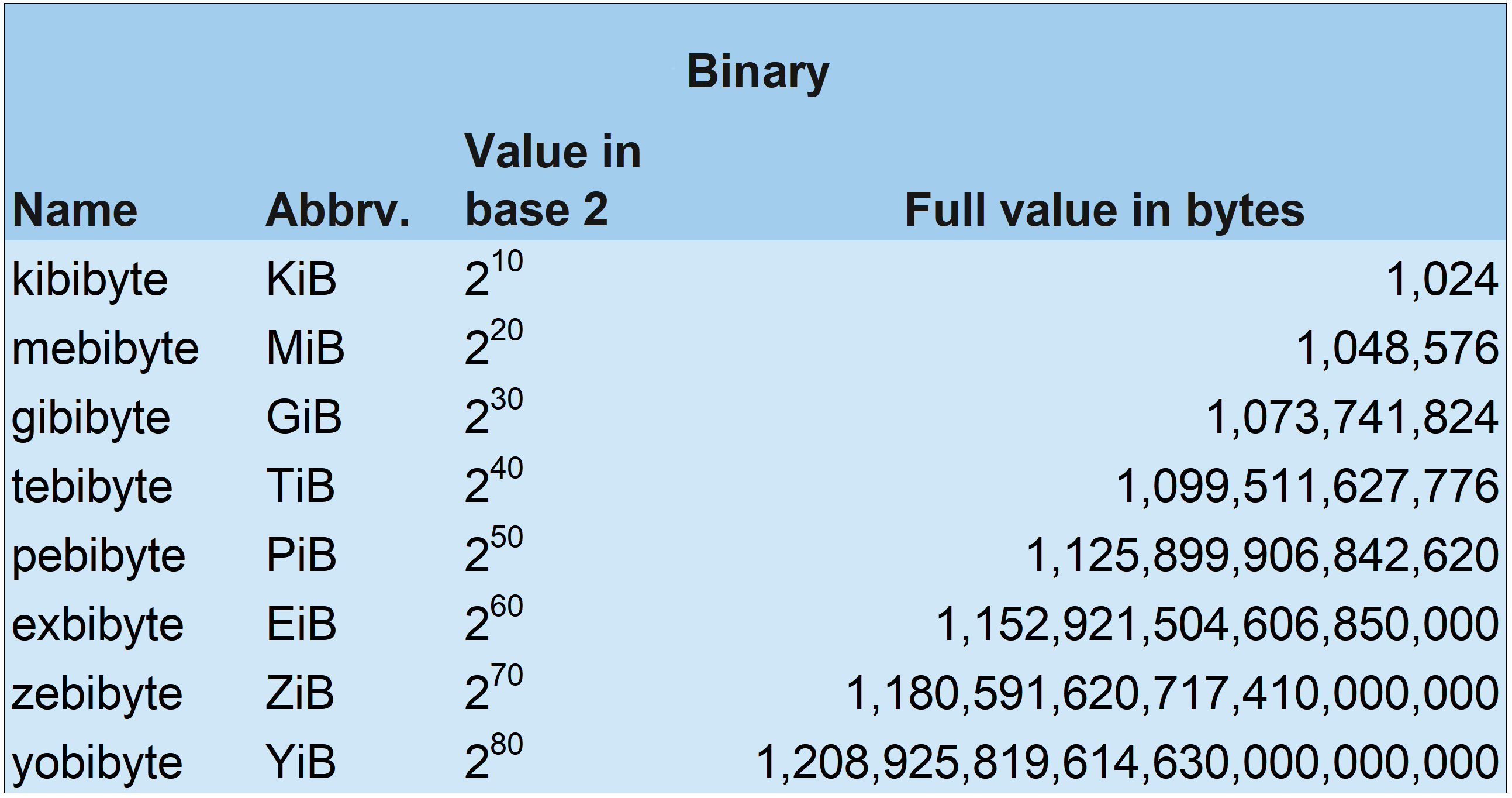
Binary measurements of computer data are more accurate than decimal system measurements. While decimal nomenclature is commonly used to market computers and computer parts to the general public, binary nomenclature is often used in computer engineering for numerical accuracy