Linux - Software Packages
In Linux, there are lots of different distributions and each might have different package types
For example, in the Linux distribution, or Distro, Red-hat, the packages that are used are .RPM or Red-hat Package Manager packages.
In this course, we’ll be working with Debian packages which Ubuntu uses.
- Debian(.deb): A Debian package is packaged as a .deb file
- You have to work with standalone Debian packages especially when developers package and release their software on different websites.
To install a Debian package, you’ll need to use the dpkg or Debian package command
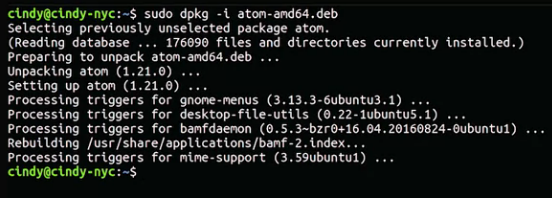
There’s a standalone package here for the open source text editor Atom, let’s go ahead and install it using d package. We have to use the i flag for the install.
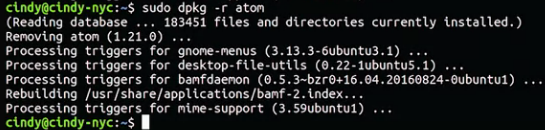
How about if we wanted to remove a package? To do that, we use the r or remove flag.
You can also list the Debian packages that are installed on your machine with a dpkg-l, the l is for list.

Let’s say we want to search for the Atom package we just installed
Now let’s run dpkg-l grep atom.
 Remember the pipe command takes the standard output of one command which in this case is the output of dpkg-l, then it sends it to the standard input of the command it pipes to, in this case, grep.