Linux - Users, Superuser and Beyond
There are Standard Users and Admins in Linux, but also a 3rd special user:
Root user: It is the first user that gets automatically created when we install a Linux OS and has all the privileges on the OS. Also called the super user. There’s technically only one superuser or root account, but anyone that’s granted access to use their powers can be called a superuser too
Since root, like our local administrator account on Windows, has unrestricted access on the machine. If we make even one mistake, we could delete or modify something important, then that’s not good. So instead of logging in its root, we can tell the shell that we want to run this one command as root.
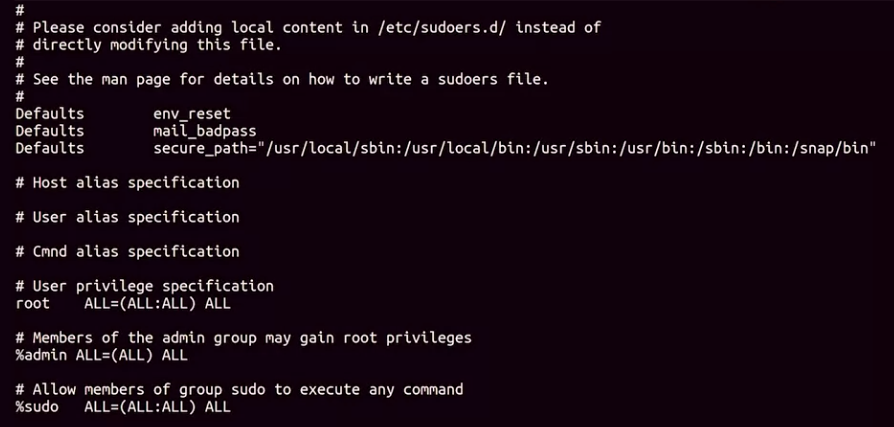
Sounds similar to the Windows UAC feature, that’s because it is, on Linux we can do this with the sudo command, or superuser do. So sudo cat/etc/ sudoers and now we’re able to see the contents of this file

If you don’t want to run sudo every time you need to run a command that requires root privileges, you can just use the su command or substitute user. This will allow you to change to a different user, if you don’t specify user, it defaults to root.
 Now you can see my prompt says root@cindy-nyc. Again it’s generally not a good guideline to stay logged in as root all the time. There are lots of critical services and files that can be mistakenly changed.
Type ‘exit’ to return to exit out of root and return to normal user

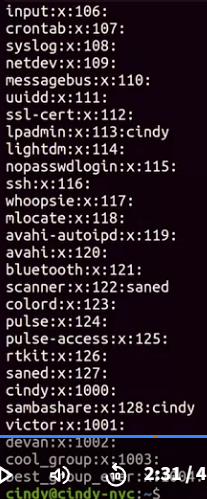
You can view who has access to run sudo by viewing the /etc/group file. This is also how you view memberships for all groups.

Group passwords in Linux are hashed, not encrypted. This means that the password is converted into a unique string of characters, called a hash, which is stored on the server. The hash is used to verify the password when a user attempts to join the group.
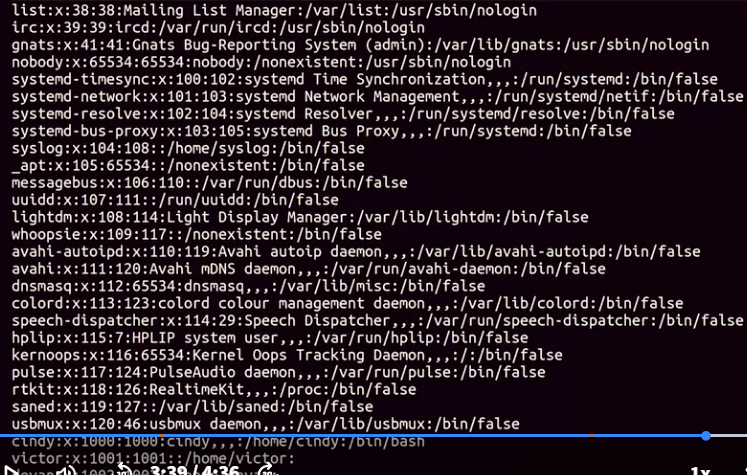
What if we wanted to view the users on our machine?
the file that contains user information is /etc/password.