Security Models and Tools
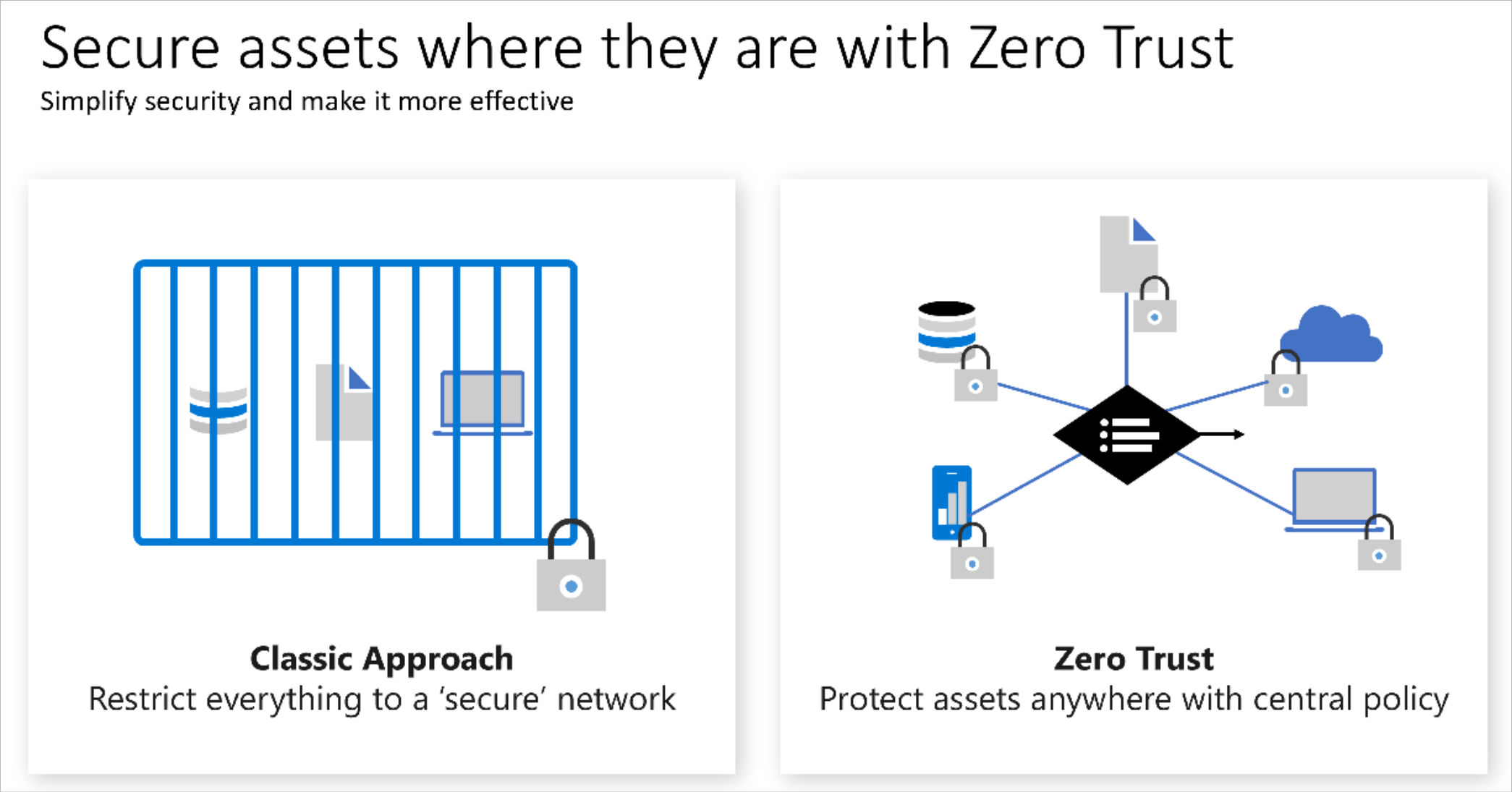
Zero Trust - a security model: never trust, always verify. Use every available method to validate identity and authorization
Defense-in-Depth Model - multiple layers of protection approach
Security Layers (available to use in cloud computing):
- Data - i.e. virtual network endpoint, limit SQL Server user rights
- Application - i.e. run API management in front of APIs
- Compute - i.e. limit remote desktop access, limit ssh, run Windows update
- Network - i.e. set up an NSG, use subnets, deny traffic by default
- Perimeter - i.e. DDoS protection, firewalls
- Identity & access - i.e. Azure AD
- Physical - i.e. door locks, fingerprint readers, and key cards
Security Tools and Services
MS Defender for Cloud - a Cloud Security Posture Management (CSPM) and cloud workload protection solution to continuously assess the environment, harden resources, and detect and resolve threats
Azure Security Center - provides advanced threat protection and is a unified security management system
Distributed Denial of Service attacks (DDoS) - a type of attack that originates from the Internet that attempts to overwhelm a network with millions of packets of bad traffic that aims to prevent legitimate traffic from getting through
Azure DDoS Protection - basic level of protection is included free; there is a standard level that you can upgrade to (pay for) that will add logging, alerting and telemetry for you to see these attacks happening
Azure Firewall - a managed service inside Azure that protects your virtual networks from unauthorized traffic
Azure Dedicated Hosts - a service that provides physical servers for use by indicated virtual machine(s) as isolated machines not shared between Azure customers
Azure Sentinel - a security information event management and security orchestration automated response solution
Key Vault - Azure’s management solution for secrets, keys, and certificates
Network Security Group (NSG) - a fairly basic set of rules that you can apply to both inbound traffic and outbound traffic that lets you specify what sources, destinations and ports are allowed to travel through from outside the virtual network to inside the virtual network